
Backing Up Your Digital Life
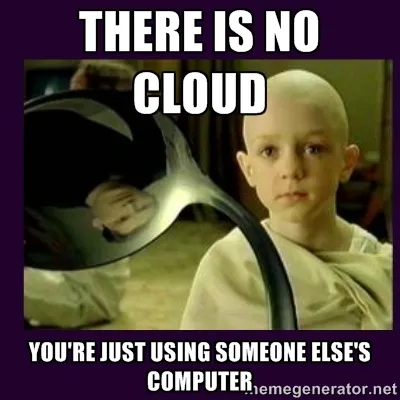
I recently got this question, and it got me thinking:
This case reminds me about necessity of backing up sensitive information. Do you know how to back up the contact list and important emails? What is the best backup software today?
This is one of those things that seems like it should be simple, but it's not. Let's see why:
Your Email is Already In the Cloud
This request came from my father in law, who uses MS Outlook to read his emails. In his case it probably makes sense, because he has various emails from various providers, and Outlook lets him aggregate them all in one place. But how to back it up?
The first answer is: your emails are already backed up. In the case of Gmail, even if you download your emails (via POP3 or some other method), they are still stored on the Gmail server. Which brings us to an important question:
Why Are You Backing Up?
If cloud backups are good enough for your email, then maybe you can stop here. Congratulations - your data is safe enough.
But what if you want more? What if you want local, "on-prem" data retention? At one job, I took tape backups and physically wheeled a cart across campus to a locked safe. Sometimes it's important.
Later, I will argue that local backups are important - but also not enough.
Local Outlook Backups
Fortunately, the next step is simple. Microsoft has official instructions on how to export your entire Outlook storage into a single file, for backup or other purposes: https://support.microsoft.com/en-us/office/back-up-your-outlook-email-e5845b0b-1aeb-424f-924c-aa1c33b18833
If you're doing this, you probably have a NAS, or an NFS - these both refer to a "network drive." This might be another computer, or it might be a stand-alone hard drive connected directly to your small office or home (SOHO). Either way, this is the next step: copy your backup file to your network drive. That way, even if your computer dies, you have a local copy of your email.
What about thumb drives?
I'm sorry, it's 2026. I can no longer recommend removable media of any kind. Any solution I recommend must be wireless, and should be cloud-based.
Better Idea: Back in the Cloud
So far, we have built layers of backups:
- Gmail servers
- Local Outlook backup
- Network drive backup
But the Outlook backups take manual effort. What if there was a better way of automatically backing up your backups, to a safe location?
It's 2026, of course there is.
If you use Mac, subscribe to iCloud. For a low rate, you can get several gigabytes of storage in the cloud. But the key part is this: it will automatically back up your own computer, to the cloud. This means once you've made a local backup, it will be available anywhere in the world - once you log in to your Apple account.
If you prefer Windows, of course there's a solution for you too:
- Microsoft offers the same type of service for Windows users. It's called OneDrive, and it's part of Microsoft 365: https://www.microsoft.com/en-us/microsoft-365/onedrive/online-cloud-storage
- Google offers paid subscriptions as well: https://one.google.com/
With both Microsoft and Google, you get something else: you can avoid your local desktop computer, and do it all completely in the cloud. In practice, that means using a web browser for your email (even Outlook), as well as Word docs, spreadsheets, &c.
Prepare For the Comet
What if a meteor strikes your house tomorrow? Assuming you survive, you'll want to rebuild, but you'll also want your data back. Local backups will be gone, thanks to the meteor. So, what now?
It's 2026; there's usually no reason to keep your data local. If you take the extra step, and pay for cloud storage, your data retention will extend beyond your own home. This is especially important in California, where we live at risk of earthquakes and fires - both of which can destroy homes. It is prudent to back up your data in the cloud.
So, what do I do? All of the above. I use Gmail to aggregate all my emails, and I have half a dozen devices I can read it on. I have a network drive living in my home, and I store photos and other media there. Finally, we subscribe to iCloud, but also have storage with Google and Dropbox. There is no good reason for spreading your data around like that; it just happened organically. Perhaps there's nothing wrong with it either; it is good to diversify.
Bottom Line
You should be paying for online backup. It's 2026, and you live in a disaster zone (probably). Local backups are good to do, but they are not enough. Yes - some money is required, an anathema to my "open source" ethos. I don't like to admit the truth, which is that open source takes money too - mostly for infrastructure. But that's a story for another time.
- Log in to post comments